
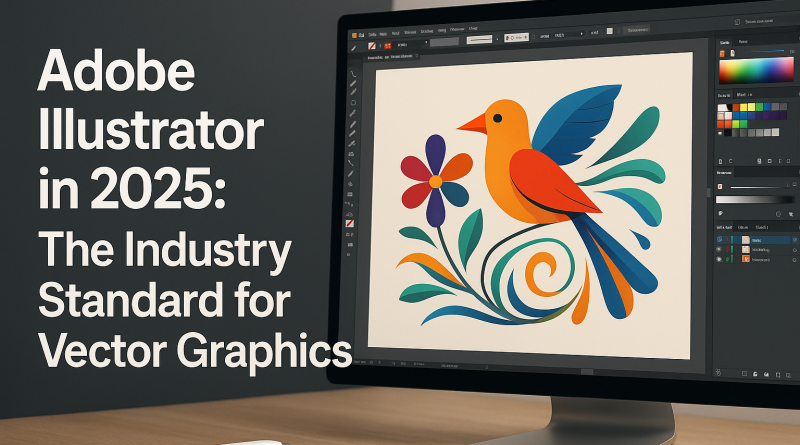
Adobe Illustrator Review (2025): Features, Pros, Pricing & Real User Experience
This article may contain affiliate links. This means we may earn a small commission if you make a purchase, at no extra cost to you.
Adobe Illustrator remains the industry’s leading vector-graphics tool in 2025 — trusted by designers, marketers, illustrators, and businesses worldwide. Whether you’re creating logos, icons, branding assets, posters, or digital illustrations, Illustrator offers a level of precision and creative control unmatched by competing software.
This review breaks down Illustrator’s key features, pricing, pros & cons, and who it’s best for — so you can decide whether it’s worth it for your creative work.
⭐ What Is Adobe Illustrator?
Adobe Illustrator is a professional vector-graphics editor that allows you to create scalable artwork without losing quality. It’s widely used for:
-
Logo design
-
Branding and visual identities
-
Packaging design
-
Posters and marketing materials
-
Typography and lettering
-
Icons and UI graphics
-
Digital illustrations and artwork
Because it’s vector-based, every shape and line stays crisp at any size — ideal for both print and digital work.
⭐ Key Features (2025)
1. Modern Vector Tools & Advanced Controls
Illustrator provides powerful pen tools, brushes, gradients, pathfinders, and shape builders that offer complete control over your artwork.
2. Generative Features Powered by Adobe Firefly
New in 2025:
-
Generative shapes
-
Pattern suggestions
-
Vector expansions
-
AI-powered color harmonization
These tools speed up workflows without sacrificing artistic control.
3. Seamless Integration Across Adobe Apps
Works perfectly with:
-
Photoshop
-
Adobe Express
-
InDesign
-
After Effects
-
Adobe Fonts
-
Creative Cloud Libraries
You can move assets between apps instantly.
4. Pixel-Perfect & Print-Ready Artwork
Illustrator supports:
-
CMYK color
-
Spot colors
-
High-resolution file export
-
Print-safe bleed guides
Perfect for professional branding and packaging work.
5. Cloud Documents & Cross-Device Editing
Work on your designs from desktop, laptop, or iPad — your projects sync automatically.
6. Templates, Presets & Adobe Stock Access
Hundreds of templates for business cards, flyers, branding systems, and posters.
⭐ Pricing (2025)
Adobe Illustrator has two main pricing options:
Single App Plan
-
$22.99/mo (varies by region)
Includes Illustrator + cloud storage + Adobe Fonts.
Adobe Creative Cloud All Apps
-
$59.99/mo
Includes Illustrator, Photoshop, InDesign, Premiere Pro, Adobe Express, and more.
If you’re a designer using multiple apps, the All Apps plan is the best value.
⭐ Pros & Cons
Pros
✔ The most powerful vector design tool available
✔ Perfect for branding, illustration, and professional graphics
✔ AI features save time without lowering quality
✔ Huge community, tutorials, and resources
✔ Flawless integration with Photoshop and InDesign
Cons
✘ Steeper learning curve for beginners
✘ Requires a strong computer for heavy projects
✘ Subscription model only (no one-time purchase)
⭐ Who Is Illustrator Best For?
Illustrator is perfect for:
-
Professional designers & agencies
-
Brand creators & marketing teams
-
Freelance illustrators
-
Businesses building a visual identity
-
UI/UX designers needing crisp vector assets
-
Creators moving from Canva to pro workflows
Beginners can learn it — but pros get the most value.
⭐ Real User Experience (2025)
Illustrator continues to be praised for:
-
Reliability
-
Precision
-
Professional-grade output
-
Faster AI-assisted workflows
Users also highlight how much easier branding projects are when combined with Adobe Express and Photoshop.
⭐ Final Verdict: Is Adobe Illustrator Worth It in 2025?
Yes — absolutely.
Adobe Illustrator remains the gold standard for vector graphics. If your work involves logos, branding, marketing design, or illustration, Illustrator offers unmatched power, flexibility, and results.
Whether you’re a beginner learning the basics or a pro refining your workflow, Illustrator is an essential tool that keeps improving year after year.
⭐ Suggested SEO Tags
(vector design, Adobe Illustrator review, Illustrator 2025, logo design software, best design tools)