
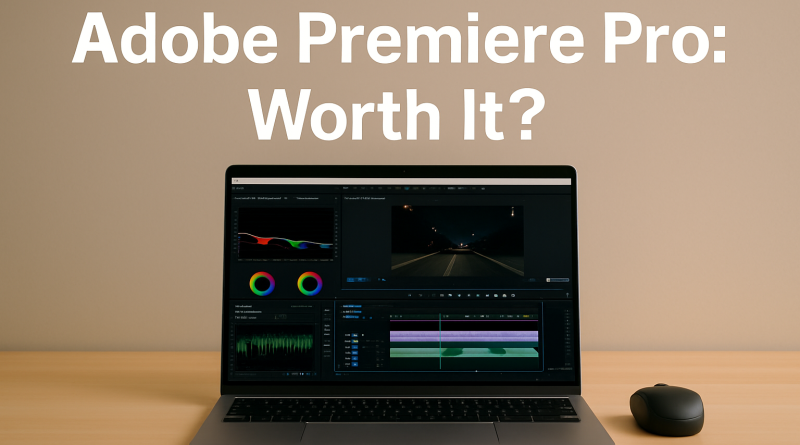
Adobe Premiere Pro Review (2025): Professional Video Editing Powered by AI
This article may contain affiliate links. This means we may earn a small commission if you make a purchase, at no extra cost to you.
Adobe Premiere Pro remains one of the most powerful and widely used video editing tools in the world. In 2025, it continues to push the industry forward with new AI features, faster performance, and tighter integration with Adobe’s creative ecosystem. Whether you’re a beginner creating social videos or a professional editor producing long-form content, Premiere Pro delivers the flexibility and depth you need.
This review explores Premiere Pro’s capabilities, pricing, workflow strengths, and who will benefit most from using it.
⭐ What Is Adobe Premiere Pro?
Adobe Premiere Pro is a professional video-editing software designed for creators, filmmakers, agencies, and businesses. It supports:
-
Multi-track editing
-
Advanced color grading
-
AI-driven editing tools
-
Motion graphics
-
Audio cleanup
-
4K–8K workflows
-
Seamless integration with Photoshop, Audition & After Effects
Premiere Pro is part of Adobe Creative Cloud and is widely used across YouTube, advertising, film, and broadcast.
🎥 Key Features of Premiere Pro (2025)
1. AI Editing Assistants (Adobe Sensei)
Premiere Pro’s newest AI features include:
-
Auto Cut: Automatically identifies scene changes
-
Enhance Speech: Turns poor audio into clean studio-quality voice
-
Color Match: Makes footage from different cameras look consistent
-
Auto Reframe: Instantly creates formats for TikTok, YouTube, Reels & Shorts
These tools dramatically speed up editing for creators and professionals alike.
2. Professional Timeline Editing
Premiere Pro supports:
-
Multi-layered timelines
-
Precise trimming
-
Ripple edits
-
Nested sequences
-
Adjustment layers
This makes it powerful enough for feature films yet accessible to beginners.
3. Advanced Color Grading with Lumetri
Users get access to:
-
Full color wheels
-
Curves
-
LUT support
-
Skin tone correction
-
Detailed exposure control
It enables natural color correction or cinematic grading without leaving the app.
4. Seamless Integration Across Adobe Creative Cloud
Premiere Pro connects effortlessly with:
-
After Effects (motion graphics)
-
Audition (sound and audio repair)
-
Photoshop (graphics)
-
Media Encoder (exports)
This ecosystem gives editors a complete professional pipeline.
5. 4K, 6K, and 8K Support
Premiere Pro handles large, high-resolution projects using GPU acceleration for smoother playback and faster exports, even on demanding timelines.
6. Audio Tools for Clean Results
Premiere offers:
-
Noise reduction
-
EQ presets
-
Reverb control
-
Automatic loudness correction
-
AI Enhance Speech (2025 update)
Audio cleanup is now faster and more intuitive than ever.
💰 Pricing for Premiere Pro (2025)
Premiere Pro is available through Adobe’s subscription plans:
Premiere Pro Single App
-
Premiere Pro for desktop + mobile
-
Cloud storage included
-
Updates always included
Creative Cloud All Apps
Includes over 20 Adobe apps such as After Effects, Photoshop, Audition, Media Encoder, Illustrator, and more — recommended for teams and advanced editors.
✔️ Pros & Cons
Pros
-
Strongest professional editing tool available
-
AI features speed up workflow significantly
-
Excellent color, audio, and effects tools
-
Industry-standard across film and digital media
-
Works with almost every file format
-
Perfect for social content and long-form editing
Cons
-
Requires a subscription
-
Learning curve for beginners
-
Can be demanding on lower-end computers
👤 Who Should Use Adobe Premiere Pro?
Premiere Pro is ideal for:
-
Video creators & influencers
-
YouTubers
-
Advertising agencies
-
Filmmakers & editors
-
Podcasters
-
Social media managers
-
Businesses producing video content
If you need a reliable, powerful, long-term editing solution, Premiere Pro remains the best choice in 2025.
🧾 Final Verdict: Is Premiere Pro Worth It?
Yes — absolutely.
With unmatched professional tools, a full creative ecosystem, and powerful AI enhancements, Adobe Premiere Pro remains the gold standard in video editing.
Whether you’re creating short-form social videos or cinematic productions, Premiere Pro gives you complete creative control, speed, and reliability.